

ABAP Workbench – How To Use System Logs And Short Dump Analysis
Following on from a previous article ‘ABAP Programming With The ABAP Workbench – The Tools You Must Learn And Master‘, where we went through how you can use some of the SAP workbench development tools to quickly analyze our ABAP code and improve your program performance; we will now learn how to troubleshoot our ABAP code when it returns a runtime error.
There are many reasons why a run-time error can occur such as un-handled exceptions, a resource or system problem or an error in coding. Let’s look a little deeper…
Tools for Troubleshooting Your ABAP Code
System Logs (TCODE – SM21)
When faced with a program that crashes, developers end up spending a lot of time debugging ABAP code to find and trace what went wrong. But they should know that SAP records all the warnings, exceptions and system errors in the System Log. So, when we get an error we can make best use of time by taking a good look at the System Logs first to help find and correct the errors in our code quickly and easily.
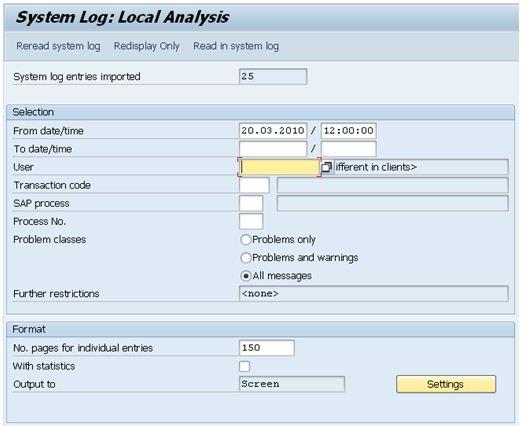
System Logs Go To Transaction SM21