Tag Archives: abap

  • Steps To Create A Simple SAP ADOBE Form And Calling It In A Web Dynpro ABAP Application

    In this step by step guide we will create a simple SAP Adobe Form showing employee address and then call this form in our Web Dynpro ABAP Application. To develop SAP Adobe forms you will require the Adobe Life Cycle Designer installed in your system and Adobe Document Services (ADS) installed and configured on the server.

    Step 1. Creating The Form Interface

    Go to transaction code SFP. Select the radio button ‘Interface’, give a name to your interface and click on the create button.

     SAP Form Builder

    In the Create Interface pop-up give a description and then click on the ‘Save’ button.

    Create an SAP Interface

    Provide the Transport package and the transport request details.

    Double click on the import parameter of the form interface and create a     new import parameter PERNR of type PERNR-PERNR.

  • Want to Learn SAP ABAP? The full Video Course Is Ready – What Next?

    I'm Happy... I just learnt SAP ABAPEarlier this week I finally completed the full version of the ‘Beginners Guide To ABAP‘. I decided to give the course its own website so not to get muddled up with the mixed bad of SAP content here.

    Lots of people jumped on-board when I released it which I am super happy about. The course ended up taking me around 1 year to complete. This is way longer than I thought it would. Partly due  to work commitments, well actually a lot due to work commitments, but also down to underestimating just how much work is involved in producing a quality training product.

    Whilst making the videos and editing afterwards there was lots of content that was given the axe for all sorts of reason.

    1. Poor video.
    2. Poor Sound.
    3. What I recorded didn’t make sense!!
    4. I could go on and on.

    Goal #1 Achieved

    When I finally finished editing the last video I thought… finally the job is done. That feeling didn’t last long. Then came to realisation that I had another job – building a website to house the course.

    After a bit of domain name searching I came upon abapcourse.com. Then got my WordPress coding hat on and went to work. The website took me about 2 weeks to complete. It may sound a long time but I had to figure out the payment processing, membership system etc…

    Anyway, it’s done. Now I can relax a little and I hope the students who are taking the course really apply themselves and learn ABAP well. The course has taken a lot of work on my part and I have put my heart and soul into making it the most affordable and high quality course on SAP ABAP on the interwebs.

    I would love to know your thoughts and if you have any questions just let me know. Heck, hit me up on Skype if you want … pete_m1 (no spam please).

  • How To Use Inbound And Outbound Plugs In SAP Web Dynpro ABAP Programs

    In a previous article we have seen how to create a simple SAP Web Dynpro ABAP application with only one view. Now, in this article we modify that application by adding one more view and learn how to navigate between two views using inbound and outbound plugs.

    Step 1. Adding Views

    1.1 Go to Transaction SE80, choose Web-Dynpro-Comp. / Intf. in the object list and enter the name of your Web Dynpro application (Y_FIRST_WEBDYNPRO) and click on Display.

    Adding Views To Object Navigator

  • Beginners Guide – Learn SAP ABAP – Enter Data Into Our Database Table

    Now our table has been created we can enter records directly into it using some of the SAP ABAP Workbench tools for data entry. This video shows how to navigate to the data entry options and a few tips on screen set-up. For Reference You can get the the data entry screen through your ABAP […]

  • How To Create The Most Common Used iViews In The SAP Enterprise Portal

    SAP Portal iViews (Information View) are the most basic type of portal content which are used to integrate applications into an SAP Portal. If you want to show any information /service applications on the portal then you have to create an iView, which is then assigned to a page. Pages are then assigned to a workset and workset’s are assigned to roles. Finally, roles are assigned to users.

    SAP Portal iViews Menu Path

    In this tutorial we will learn to create the five most used iViews is the Sap Enterprise Portal and these iViews are:

    1. Web Dynpro ABAP iViews
    2. Web Dynpro JAVA iViews
    3. BSP iViews
    4. SAP Transaction iViews
    5. URL iViews

    Please ensure that your user ID has been assigned the ‘Content Administrator’ role.

    1. Web Dynpro ABAP iViews

    Before creating the Web Dynpro ABAP iView you must have the following information ready with you:

    • System (Mandatory): Alias of the backend system
    • Namespace (Mandatory): This is always going to be SAP.
    • Application Name (Mandatory): Web Dynpro ABAP Application Name
    • Configuration Name (Optional): If you have created an application configuration then provide the configuration name in this field.
    • Application Parameters (Optional): If your application has any parameters then you can give them here.


    Step-by-step process:

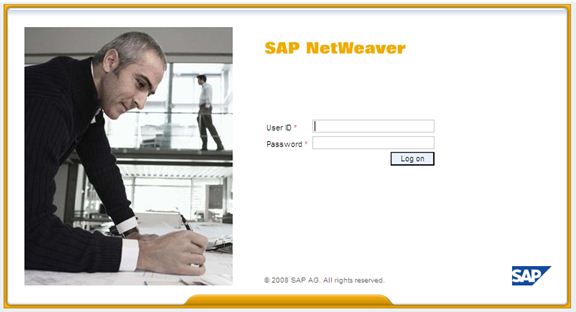
    1. Logon to SAP enterprise portal by entering your user ID and password.

    Logon to SAP Enterprise Portal